


Use the code 'MASTERS' when signing up to Octopi Poker before October 2 to receive 20% off an annual subscription PLUS sign up through our exclusive link for an extra two months' access.
Whatever stage you’re at in your poker journey, there’s a good chance you’ve heard of the training tool Octopi Poker.
You may have seen it featured as a sponsor at a big live poker event, spotted its branding worn by ambassadors such as Stephen Chidwick (above), or read about its powerful analysis capabilities here at PokerOrg, where we’ve used it to break down key hands in several major tournament spots.
It’s clearly a tool used by many of the world’s greatest players — the list of testimonials on its homepage features everyone from Brian Rast to Brian Hastings, and from Josh Arieh to Phil Laak — but does that mean it’s actually too powerful for poker’s mere mortals to get to grips with?
Every player wants to improve, but if you’re a non-professional with limited time to spend on study, a casual glance at the sheer depth of Octopi Poker’s reams of information may be off-putting. For some, the deeper they know the rabbit hole goes, the less likely they are to investigate.
While many casual players may dismiss these more advanced tools as ‘for the pros’ — too deep, extensive and complicated to try and learn — the truth is, you really just need to know where to begin.
If this all sounds a little familiar, read on as we explore 5 ways even poker beginners can use Octopi Poker to start levelling up their strategy.
1. Start with preflop ranges
Understanding which hands to play preflop is one of the most fundamental and important poker skills to learn. Many of us start out playing just about any two cards, craving the action of seeing a flop and happy to gamble with whatever hands we’re dealt.
It may be fun, but it’s not a winning strategy. Some starting hands are stronger than others, and by choosing to only play those that give you better odds of winning, you’re immediately increasing your chances of becoming a profitable player — in the hand, in the game, and over the long-term.
Your position at the table is another fundamental concept to grasp, with the range of hands you should play expanding as you reach later positions. Octopi Poker has a handy tool to sharpen your skills in both these areas, and it’s the first one you should try: Preflop ranges.
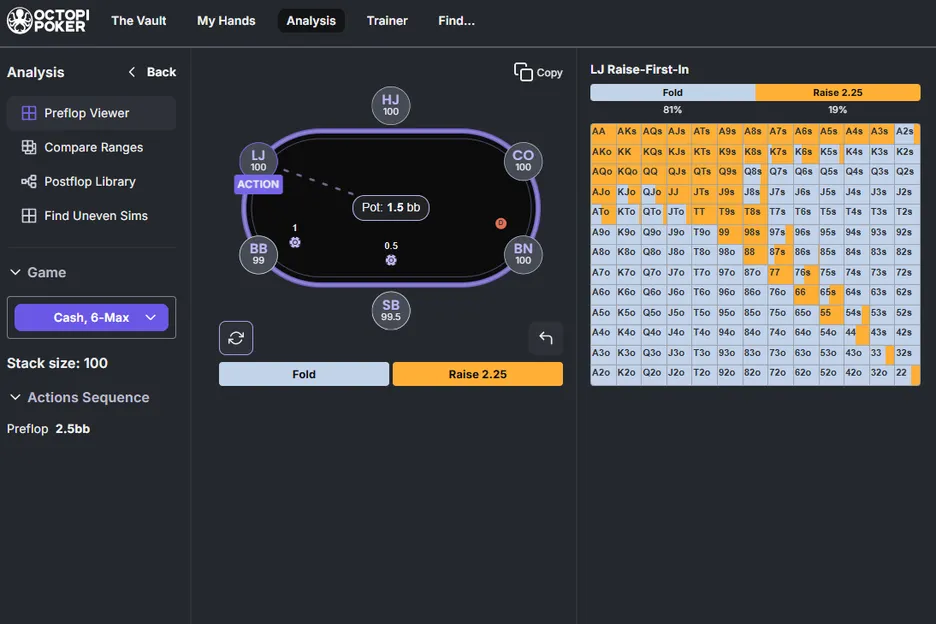
Under the ‘Analysis’ tab you’ll find the ‘Preflop Viewer’, where you can see open/fold ranges for every position around the poker table. You can tweak variables such as tournament/cash game play, and even view ranges specifically for heads-up play.
This gives you an instant crash-course in which hands are advisable to play from which position.








2. Comparing ranges
So much for which hands to raise with, and which to fold, but what about when you’re facing a preflop raise?
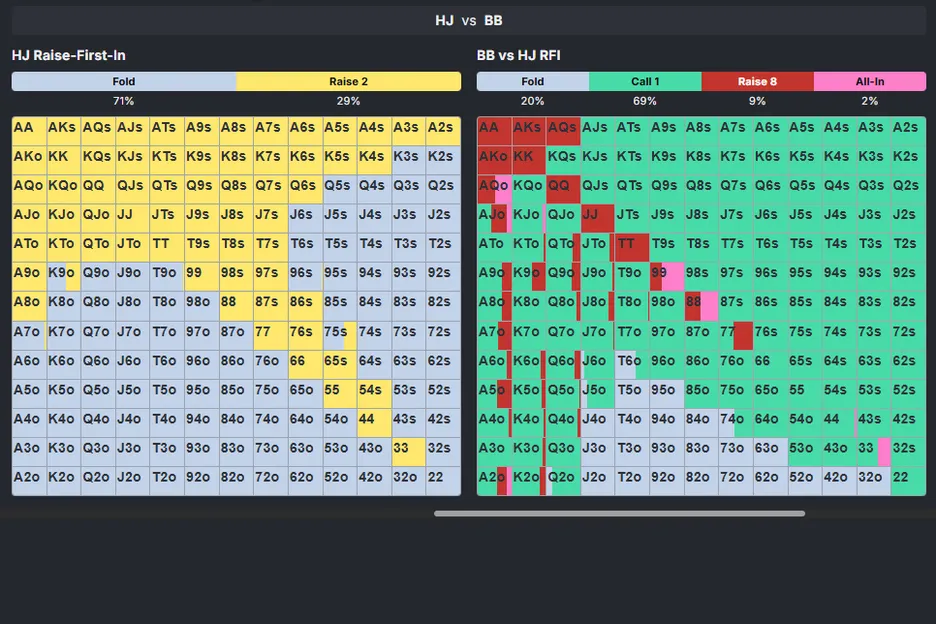
That’s where the ability to compare ranges comes in. Staying in the ‘Analysis’ tab, select the ‘Compare Ranges’ option and you’ll be able to see the suggested strategy for which hands to fold, call or raise with when faced with an opening raise from an opponent.
You can customize your position as well as the opponent’s, and view the ranges side-by-side. You’ll also be able to set other variables, such as stack sizes and whether you want to see pure chip expected value (EV) or view ranges bearing in mind the independent chip model (ICM) — useful when nearing the bubble or big pay jumps.
3. Play to learn
With some understanding of ranges to work with, it’s time to put your theories into practice. But that doesn’t mean you have to sit down with a real buy-in in a real game.
Octopi Poker is a practice tool, and one of its best features is in the ‘Trainer’ tab — an AI-powered simulator that lets you work through hands in your own time, with the ability to tweak settings easily and review your performance.
Think of it as a session with a poker coach, providing instant feedback on mistakes, blunders and of course those perfect moves. Aim for error-free runs, see how high you can grow your streak of perfect decisions and, when you’re ready, customize your scenario to drill down into common spots that cause you problems.
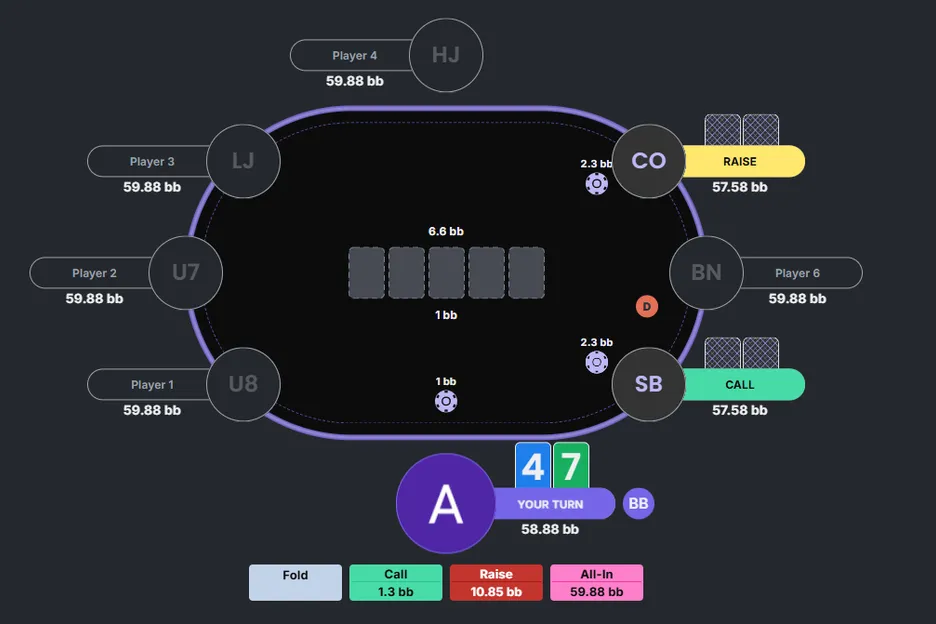
Under the ‘Trainer’ tab, select ‘Train’ and ‘Select Scenario’ to run through entire hands from a chip EV, ICM or heads-up perspective. To start with, try the chip EV scenarios with all other variables set to the ‘Surprise Me!’ setting.
This will give you an endless stream of randomized poker hands and scenarios to play through, with immediate feedback to reinforce your good decisions and help you correct your bad ones.
And when the correct move is a raise, take note of the size the software suggests — this is not random, but is a size specifically judged for the exact scenario you’re facing. This alone is a valuable aid to help perfect your bet-sizing.
4. Review your hands
If you already have some experience playing poker, either online or live, you’re sure to have run into situations that require some further thought in the cold light of day.
By inputting these hands into Octopi Poker you can review them at your convenience, with all the tools you need to analyze and learn from these tricky spots right at your fingertips.
For live tournament hands, head to the ‘My Hands’ tab and select ‘Create Hand’. You can then enter all the details of the specific tournament, players, payouts and hands to recreate the exact spot you wish to revisit.
For online hands, select ‘Upload hands’, and you’ll be able to upload a hand history as a .txt file — the same file type that most online sites will use when they send you hand histories.
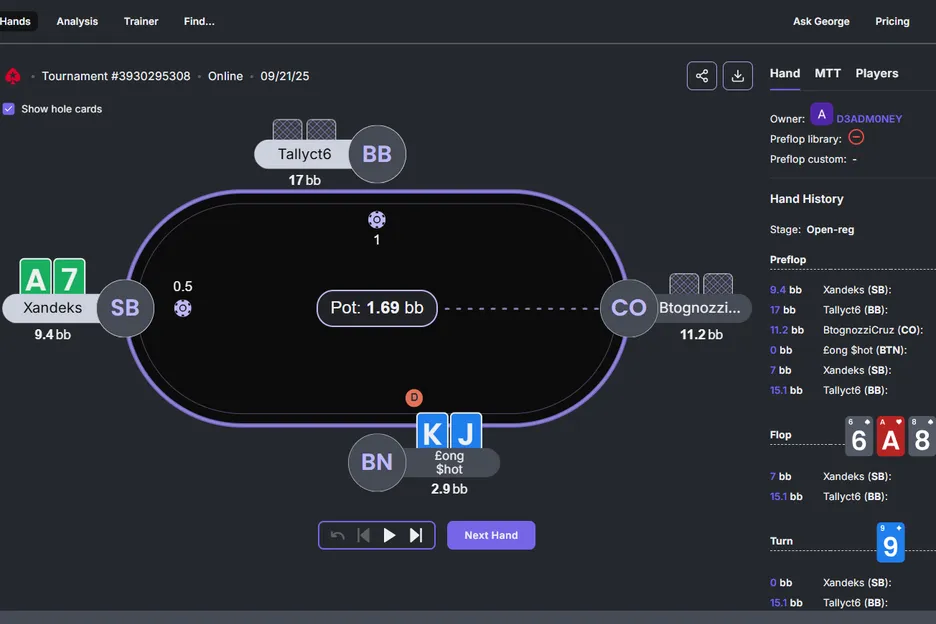
If you have a hand history that is not in this format (for example, if you receive a hand history as text in an email), simply paste the text into an app like Notepad for Windows or TextEdit for Mac, save it as a .txt file and upload that.
Note that if you play on ACR Poker and/or PokerStars, you can upload hands using the downloadable Octopi Poker uploader.
Once your hand histories are fed into Octopi Poker they will all be found in the ‘My Hands’ tab, under ‘Database’, where they can be reviewed at your leisure.
5. Ask George
The above tips are a great way for a beginner to start using Octopi Poker, but of course these are just the tip of the iceberg. What you choose to do next will be up to you.
But, with such deep customization and so many tools at your disposal, it can be tricky to know where to focus. That’s where ‘Ask George’ really comes in useful.
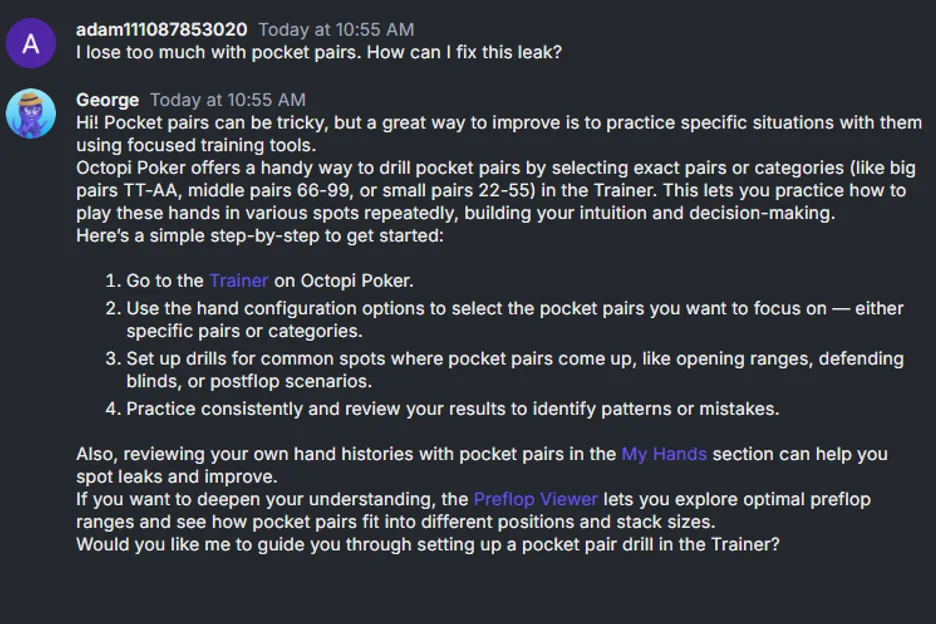
Select the ‘Ask George’ tab and you’ll open a dialogue box with the site’s baked-in AI assistant. From here you can ask for guidance and help on a tool you’re already using, seek advice on where you should next focus your study, request help on leaks you’ve identified or get technical answers on how to use features like the uploader.
You can even use it to set quizzes on certain topics, to help you track your progress as you go.
By using things like these quizzes, as well as the ability to run through endless hands in the Trainer, Octopi Poker can be a fun way to study poker that doesn’t feel like homework.
Another entertaining way to improve can be found in ‘The Vault’, where you can watch real players playing real hands in high-profile events, with the ability to drill down into specific hands to see how they’re played in the heat of the moment.
Finally, remember that Octopi Poker is a training tool designed to provide assistance to players, but never during play. Having Octopi Poker running during online play may be deemed a Terms of Service violation by your online poker provider. Always gamble — and study — responsibly.
Use this link to sign up for an annual membership to Octopi Poker, and get 20% off with the promo code 'MASTERS' plus an extra two months access.


